
Features
Server Sidekick turns the commands you would type over SSH into screens built for touch. Here is everything it does.
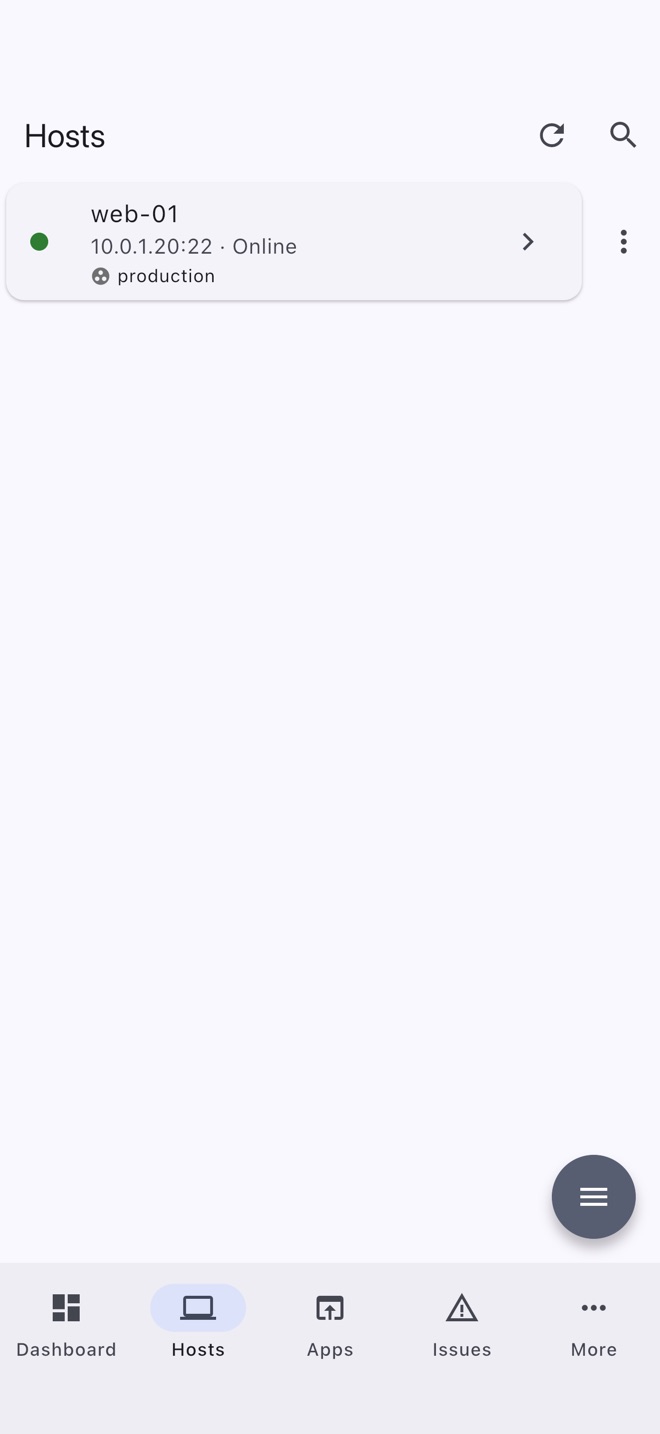
Adding hosts
From zero to connected
- Scan your local network for SSH servers and add the ones you want.
- Import your
~/.ssh/config, guests from a Proxmox host, or hosts shared from another device by QR code or file. - Password or SSH key, including passphrase-protected keys, and jump hosts to reach machines behind a bastion.
- Generate, deploy and rotate SSH keys without leaving the app. Removing the old key from your hosts is offered once the new one is saved.
- Host key checking. Fingerprints are checked and remembered, and you can review or remove them.
- Privilege escalation with sudo or doas for the tools that need root.
- Demo host. Explore a simulated Debian server built into the app. It works offline.
Dashboard
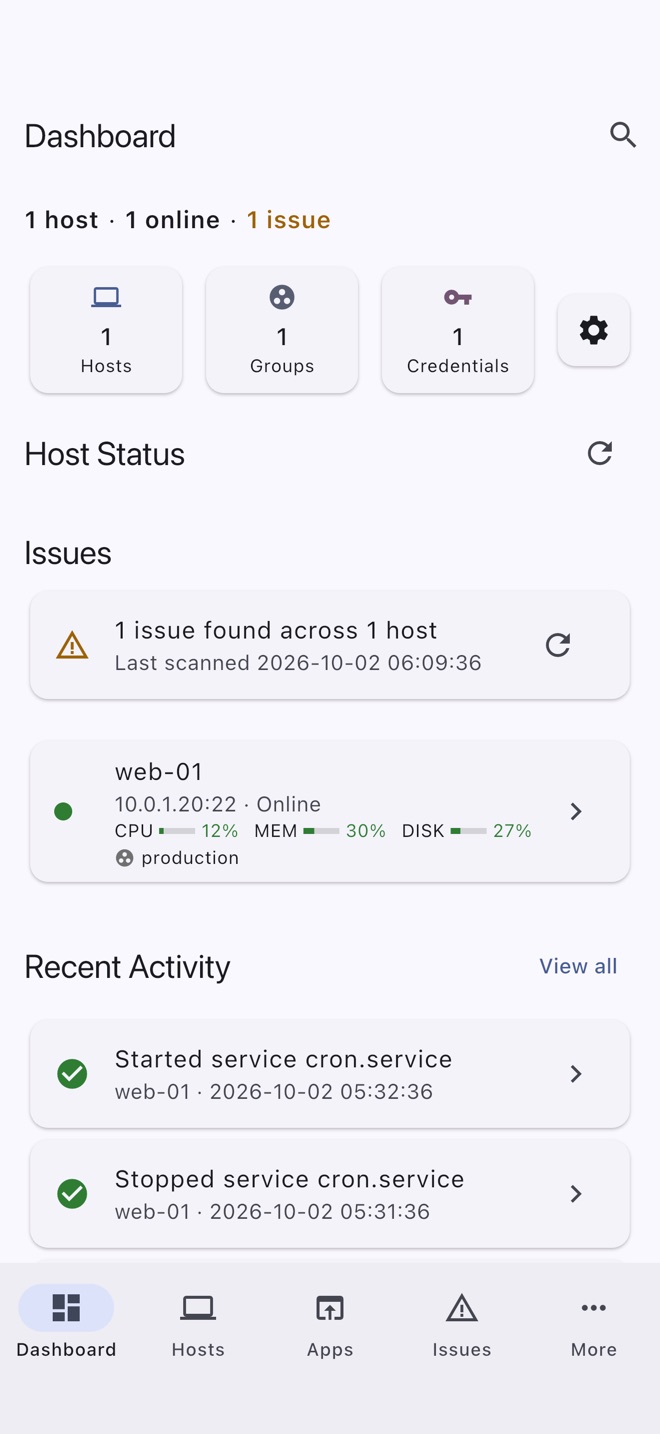
Every host at a glance
- Reachability for every host, with a CPU, memory and disk line fetched from each one.
- Problems found across your hosts, such as failed services and low disk space, in one Issues list.
- Recent activity: what you started, stopped, ran and changed, and on which host.
- Pin favorites, and search for any host or feature from anywhere.
Host tools
What you can do on each host
Tools appear when the host supports them. Linux with systemd has the most; macOS and FreeBSD have their own service managers, firewalls and package tools.
Terminal
- Several shells per host as tabs, kept open when you leave the screen
- tmux or GNU screen sessions that survive a dropped connection
- Color schemes, fonts, sizes and pinch to zoom
- A customizable row of extra keys
Files
- Browse, upload, download, rename, move and delete
- Change permissions
- Copy files to another of your hosts
- Disks & Mounts, and disk usage
Containers
- Docker, Podman and nerdctl containers, with logs
- Images, volumes, networks and Compose projects
- LXC and containerd (ctr)
Kubernetes
- Pods, nodes, workloads, jobs and ingresses over kubectl
- An issues view for what is unhealthy
- Helm, Flux and Argo CD
- Port-forwarding
Virtual machines
- KVM guests through libvirt
- Start, shut down, reboot or force off
Services and processes
- systemd, init.d, launchd and rc.d services
- Processes, with signals
- Scheduled tasks: cron and at
- Background jobs, system logs and command history
Metrics
- Load, memory, swap, disk and network throughput
- Per-core CPU, temperatures and GPU
- History charts
- System info and network interfaces, routes and connections
Network tools
- Ping, traceroute and DNS lookup
- HTTP timing and TLS certificate expiry
- An iperf3 test between two hosts
- Wake-on-LAN
Packages
- Browse, search, install and remove
- apt, dnf, pacman, zypper, apk, Flatpak, Snap, Homebrew, pip, npm and more
Security
- Firewall rules: ufw, firewalld, iptables and pf
- SELinux and AppArmor status
- User management
Port forwarding and apps
- Save local, remote and SOCKS tunnels per host
- Apps: every listening port on a host, with the process and web page title behind it
- Open one in your browser, directly or through a temporary SSH tunnel
Alerts
- Server-side alerts: a small script on your server checks it every 5 minutes and sends to ntfy, a webhook or Healthchecks, even when the app is closed
- Disk space, memory, load, services, containers, certificate expiry and, as root, disk health
- Or a notification from the app itself while that host's Metrics or Services screen is open
Snippets
Save commands you run often, with {{placeholders}} you fill in each time. Keep them for all hosts, one host, or one group. Run one in a terminal, as a background job, or on every host in a group.
Groups and bulk commands
Group your hosts and run one command on every host in a group. Share a list of hosts with another device by QR code or file, without any credentials.
Sync, backup and security
Sync keeps your hosts the same on every device, end-to-end encrypted through a WebDAV server you choose. Back up your hosts, groups and credentials (with SSH keys) to a file encrypted with a passphrase you choose. Passwords and keys are stored encrypted, and app lock can require Face ID, Touch ID, your fingerprint or your passcode.
Made to fit
17 themes, including high-contrast and color-blind-safe, and a navigation rail and sidebar on tablets.
Compatibility
Where it runs, and what it connects to
The app runs on
- iPhone and iPad
- Android phones and tablets, including foldables
It manages servers running
- Linux, tested on Debian, Ubuntu, Fedora, AlmaLinux, Rocky Linux, Arch Linux, openSUSE, Alpine, Devuan and Proxmox VE
- macOS
- FreeBSD
Anything that runs an SSH server with password or key login can be connected to. The tools available depend on what is installed on the host.
Try it on the demo host.
No server needed: the demo works offline, and nothing leaves your device.